CareBridge
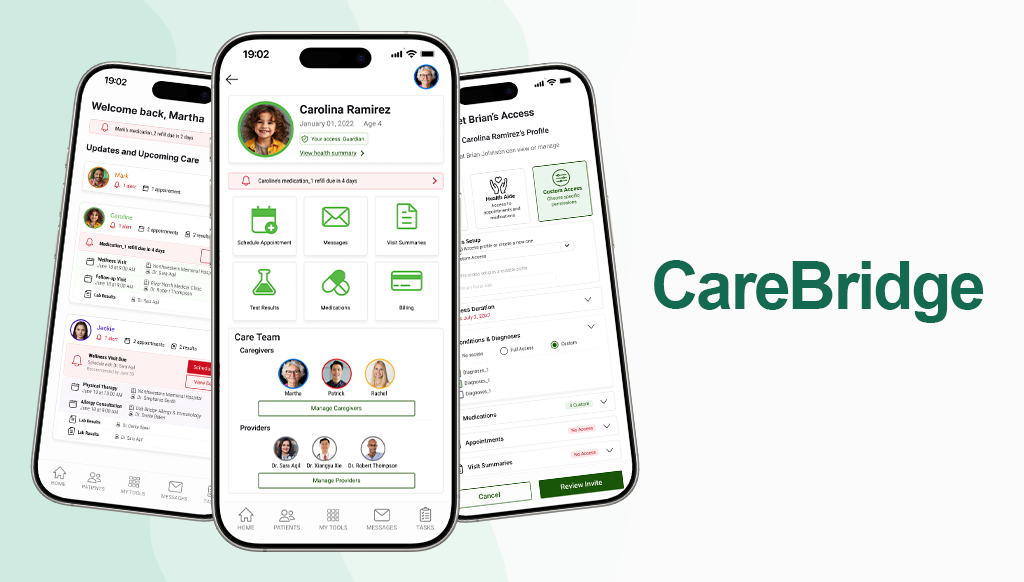
A MyChart Extension for Managing Others’ Care
The Challenge
Caregivers managing healthcare for loved ones often have to coordinate information across multiple people, providers, appointments, medications, and communication channels. However, existing patient portals are primarily designed around the individual patient-provider relationship.
Because caregiver access is often limited, fragmented, or all-or-nothing, caregivers frequently rely on texts, notes, phone calls, spreadsheets, and memory to keep everyone informed. This can result in lost information and confusion around what information is current, who has seen important updates, and what still needs to be done.
Research
We used a mix of qualitative and quantitative research methods across the design process. Interviews and surveys helped us understand caregiver needs, behaviors, and pain points, while usability testing helped us evaluate the clarity and usefulness of the prototype.
Bringing the Users to Life
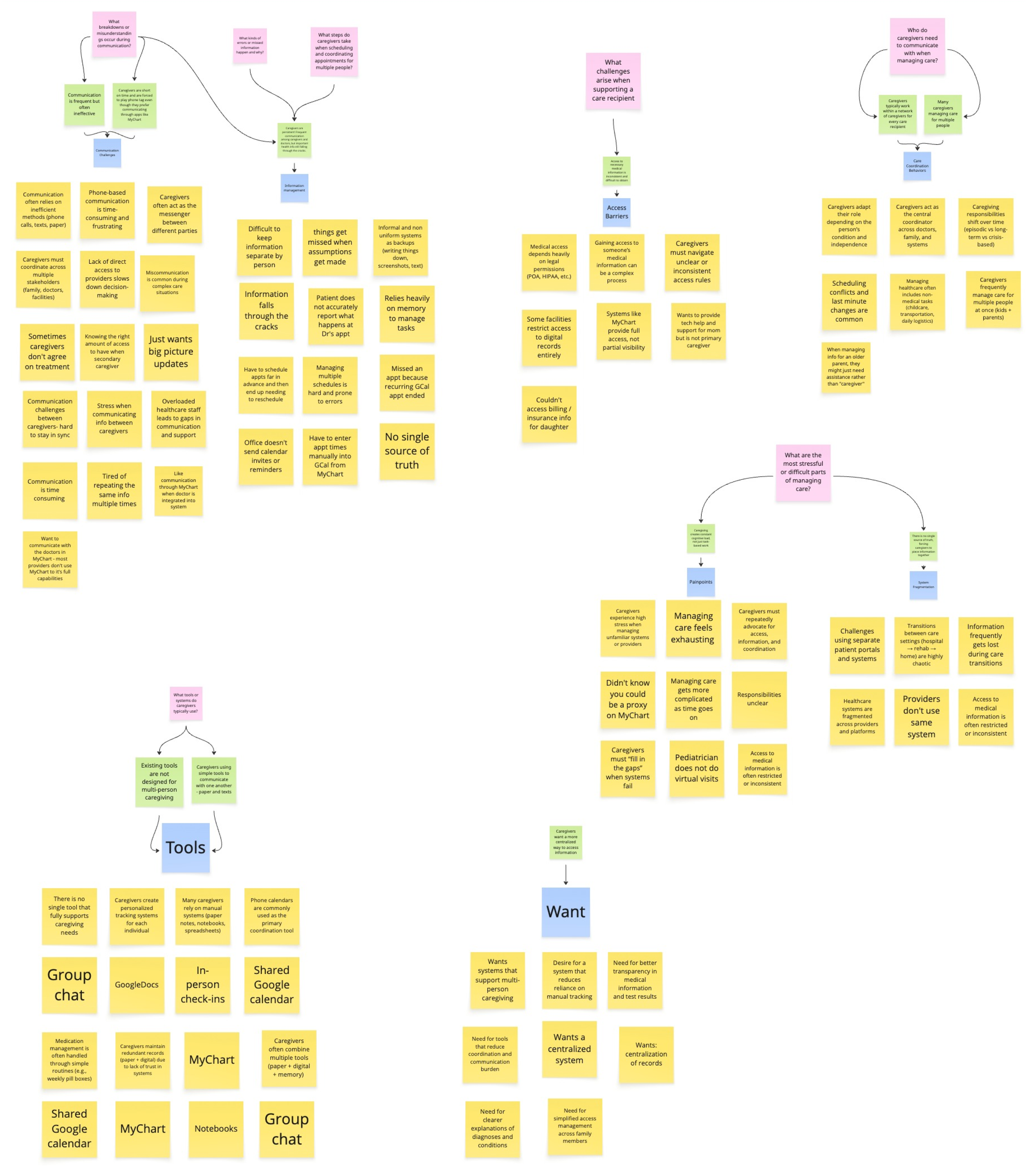
We created personas and journey maps for three caregiver types: Maria, a primary caregiver managing her mother’s care; Mark, a divorced parent coordinating care across two households; and Susan, a long-distance caregiver who needs visibility without being the primary decision-maker. These artifacts helped us identify where role-based access, shared records, clearer updates, and more reliable coordination were needed most.
Personas & Journey Maps
Insights
Caregiving networks are complex
In our survey, 100% of respondents reported working within a care network of at least 2 people, with 77.8% coordinating with 2–3 people and 22.2% coordinating with 4–5 people. This reinforced that caregiver tools need to support shared visibility, communication, and role-based access, not just individual patient management.
were not fully confident their information was up to date
reported communication breakdowns between caregivers
of respondents managed care for multiple people
Key Insights
Information is scattered
Caregivers often rely on multiple methods to manage care, including texts, paper notes, phone calls, memory, spreadsheets, and patient portals.
There is no single source of truth
Care teams may lack confidence that they are working with the most up-to-date and accurate information when coordinating care.
Proxy access is too rigid
Existing tools often treat access as all-or-nothing instead of allowing caregivers to share only what is appropriate.
Communication is constant but unreliable
Caregivers may update family members repeatedly, but still experience misunderstandings or missed information.
Caregivers carry high cognitive load
They are not just completing tasks; they are remembering, tracking, interpreting, and coordinating across people and systems.
Design Iterations
Sketches
Each team member sketched ideas independently, allowing us to explore different approaches without influencing one another. We then came together to compare concepts and combine elements into a shared design direction. My sketch ultimately became the foundation for the Manage Access screen.
Usability Testing & Iterations
We conducted two rounds of usability testing and gained valuable, actionable feedback that helped guide our final iterations. The first round was remote and asynchronous with 4 participants, while the second included remote and in-person testing with 5 participants. Based on participant feedback, we refined the options screen by improving profile visibility, clarifying permission scopes, adding reusable custom roles, supporting time-limited access, and making the dashboard easier to scan through patient-specific colors, icons, and clearer section groupings.
Final Sketch
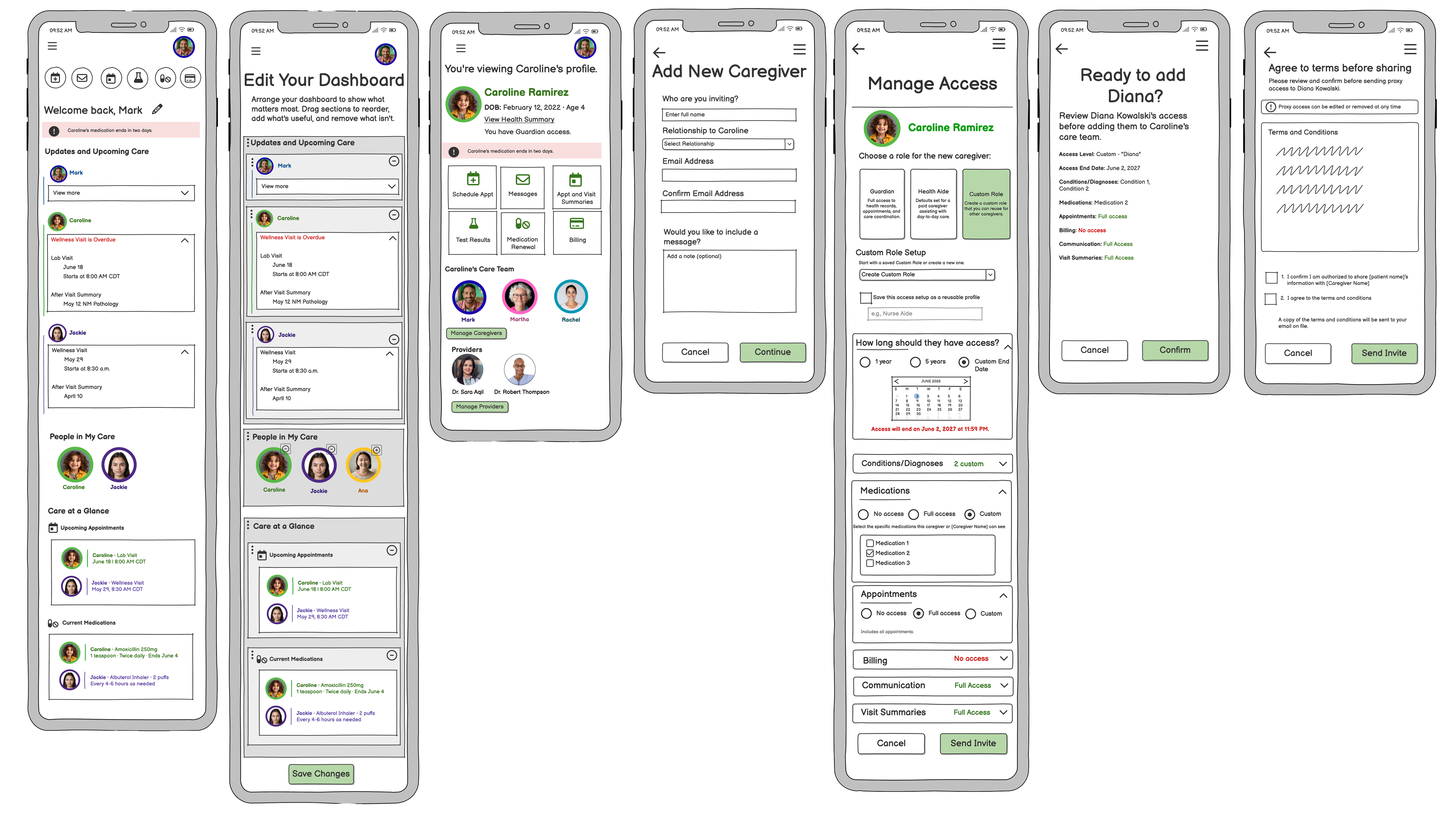
Our final sketch focused on the core experience rather than high-fidelity visual styling. We prioritized the structure, language, and interaction patterns needed to support caregiver coordination, including clearer patient context, reusable access roles, time-limited permissions, and a more scannable dashboard.
Final Design
After the group project concluded at the final sketch stage, I independently created this Figma mockup and made additional refinements to the layout and overall usability.
Final Design Highlights
Use the arrows to see some highlights for each screen.
Figma Prototype Video
This Figma prototype demonstrates the complete user flow for adding and inviting a new caregiver for a patient.